
To enhance privacy or enforce data security policies, ZIWO lets you hide caller phone numbers from agents within the standalone platform.
To enable this feature:
- Go to the Admin Dashboard.
- Click General from the left-hand sidebar.
- Scroll to “Mask Phone Numbers”.
- Toggle the switch ON to enable or OFF to disable.
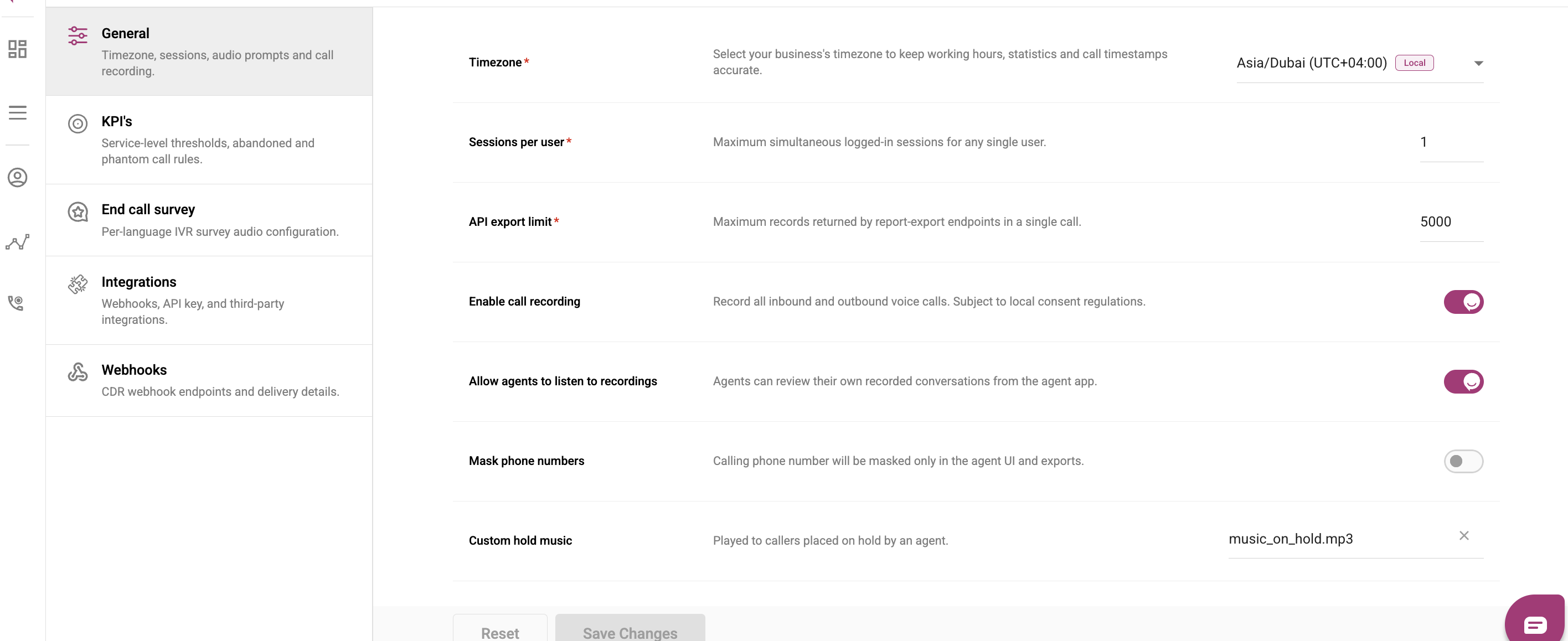
Note: This setting removes phone-number visibility in the agent interface. It does not impact dialing capability.
Will agents still see numbers in the CRM?
If ZIWO is integrated with a third-party CRM, the visibility of caller numbers is controlled by the CRM itself.
- On standalone ZIWO, enabling “Hide Phone Numbers” hides the number entirely.
- On integrated CRMs, adjust permissions on the CRM side to align with your visibility policies.
Tip: Always verify CRM-side settings when configuring privacy features for hybrid systems.